A "PENDING-DELETION" error at POS (or kiosk) means that a printer needs to be manually deleted from the Windows registry.
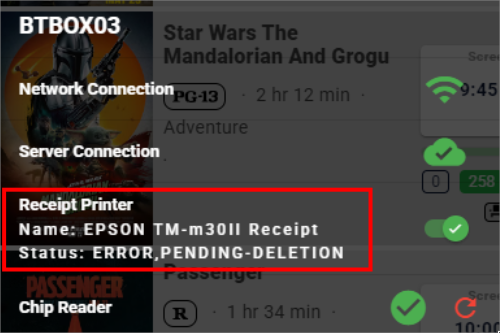
- Log into the POS or kiosk terminal as an Administrator
- Stop the print spooler in Windows services
- Locate the print in the registry - it's likely at both of these paths:
- HKEY_CURRENT_USER\Printers\Connections
- HKEY_LOCAL_MACHINE\SYSTEM\CurrentControlSet\Control\Print\Printers
- Find the the folder(s) in the left pane that match the printer name you want to delete and delete the folder(s)
- Restart the Print Spooler Windows service
- Restart the terminal, log into POS, and check the status of the printer.
Was this article helpful?
That’s Great!
Thank you for your feedback
Sorry! We couldn't be helpful
Thank you for your feedback
Feedback sent
We appreciate your effort and will try to fix the article