A lot of INDY signage issues can be resolved on site by a manager with INDY admin access. If you get an INDY signage ticket, go through the following steps.
1) If there's no image on screen: have them check the HDMI and power connections to the Raspberry Pi located either physically behind the TV or in a server room. They may need a replacement HDMI cable so have them check a spare cable to see if that restores image.
2) If there's a login prompt on screen: have them power cycle the device, if that doesn't solve the issue then submit a ticket to INDY support so they can remotely log into the device and restore signage.
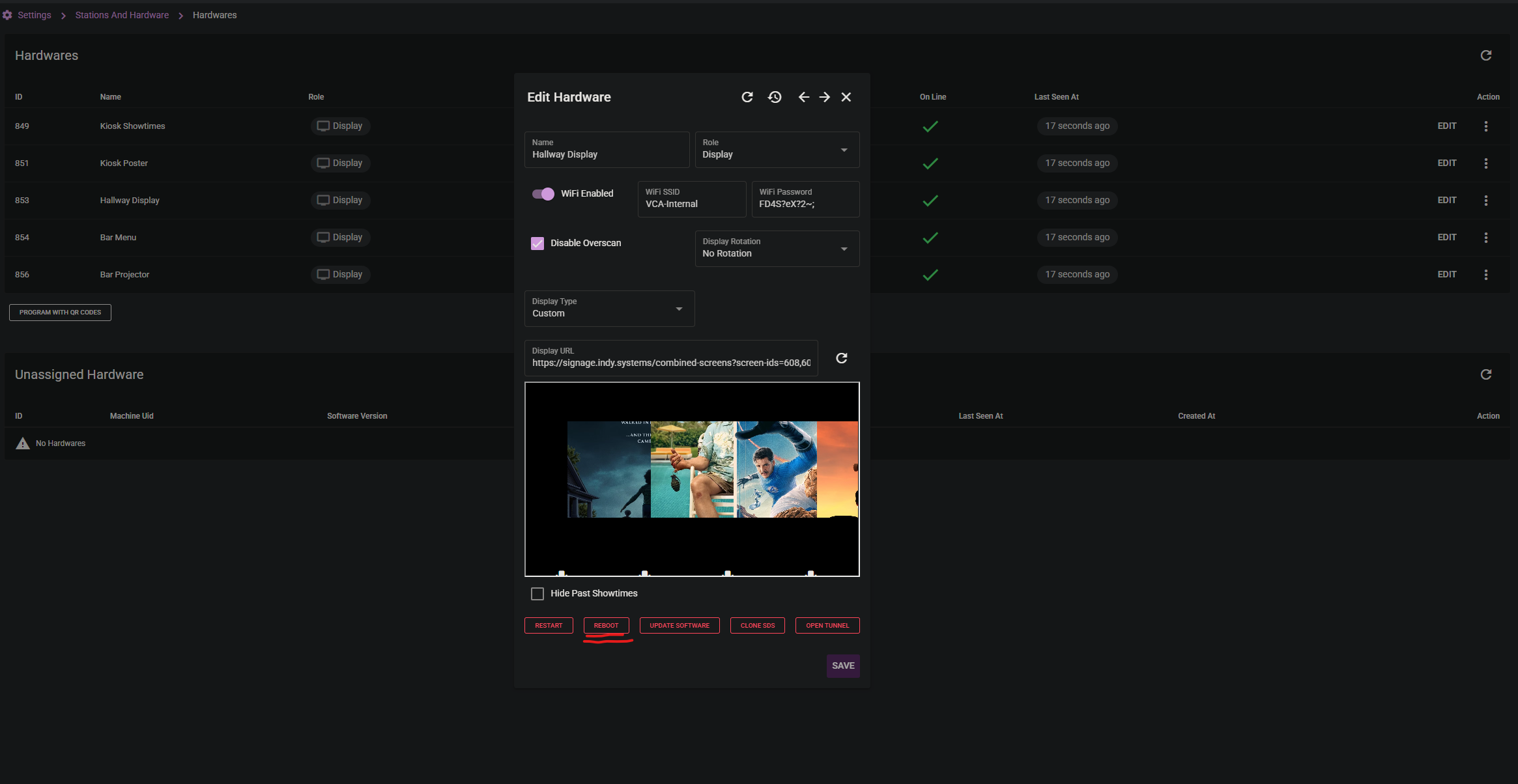
3) If there is a grey image on screen similar to a website not found error: run the reboot command in INDY Admin (Settings -> Stations and Hardware -> Remote Hardware), select the affected sign, then hit the reboot command. Once you've done this it's best to show your steps in the ticket so this error can be resolved on site in the future without sending a ticket.
Was this article helpful?
That’s Great!
Thank you for your feedback
Sorry! We couldn't be helpful
Thank you for your feedback
Feedback sent
We appreciate your effort and will try to fix the article