More Vista customers will likely be requesting assistance with phasing out the one cent coin.
Non-cash payments are not affected!
Step 1
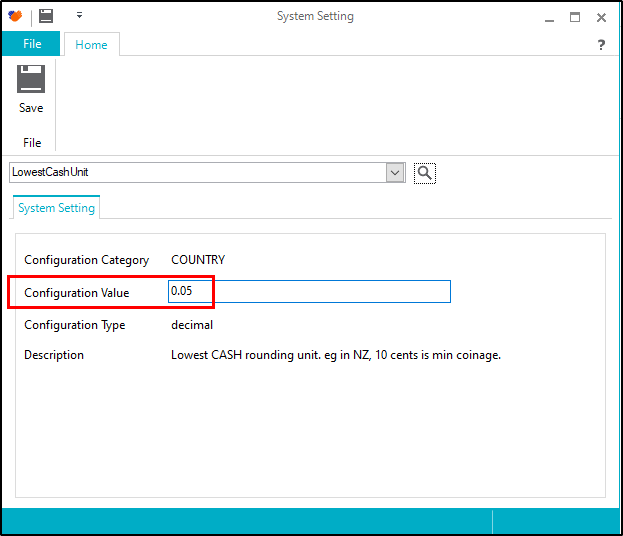
In Head Office and/or Back Office set the system setting LowestCashUnit to 0.05
Step 2
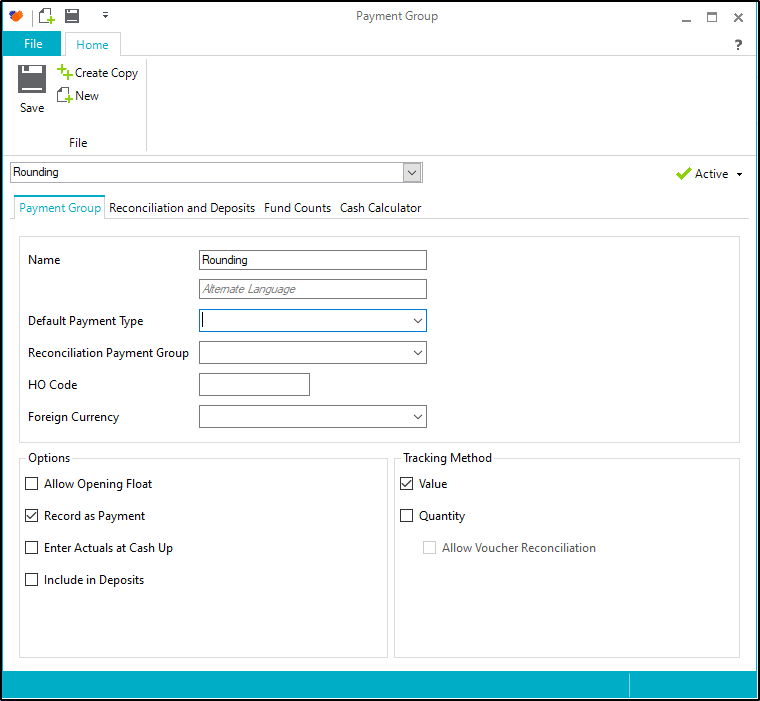
Create a payment group called "Rounding" and leave Default Payment Type blank.
Step 3
Create a payment type called "Rounding", then set payment group and tender category to "Rounding" 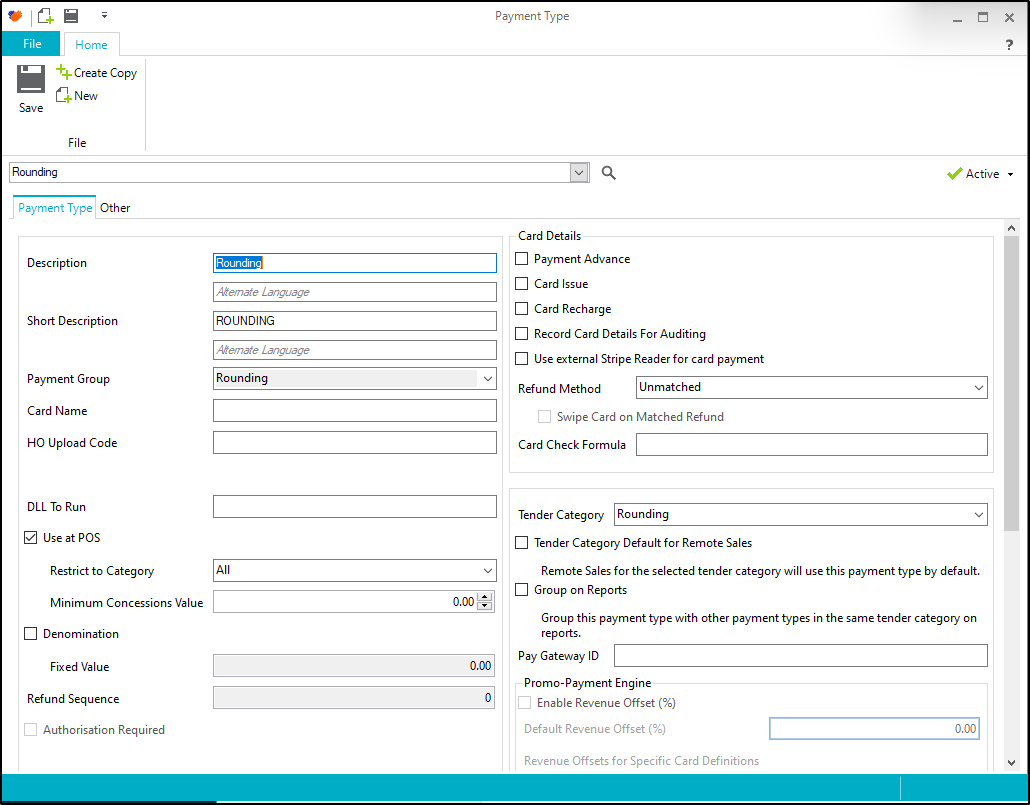
Step 4
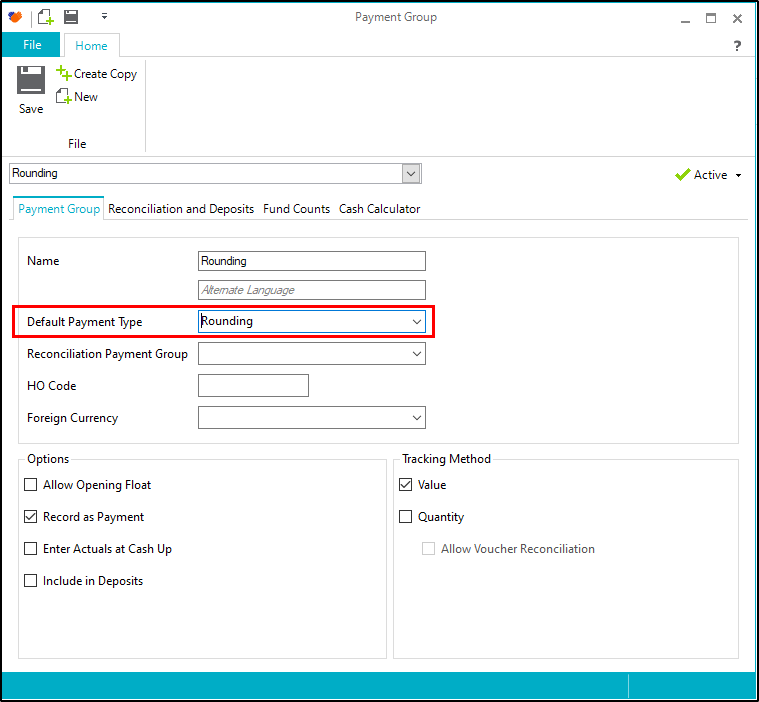
Go back to the "Rounding" payment group and set the default payment type to "Rounding"
Step 5
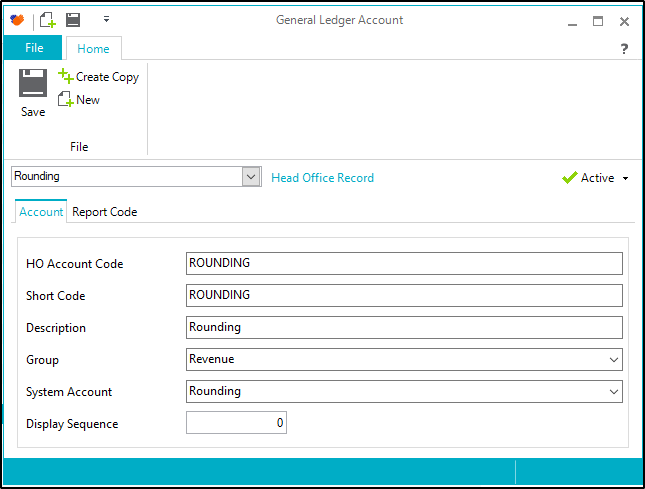
Check for a "Rounding" general ledger account and make sure it's active. If it's missing then create it.
Step 6
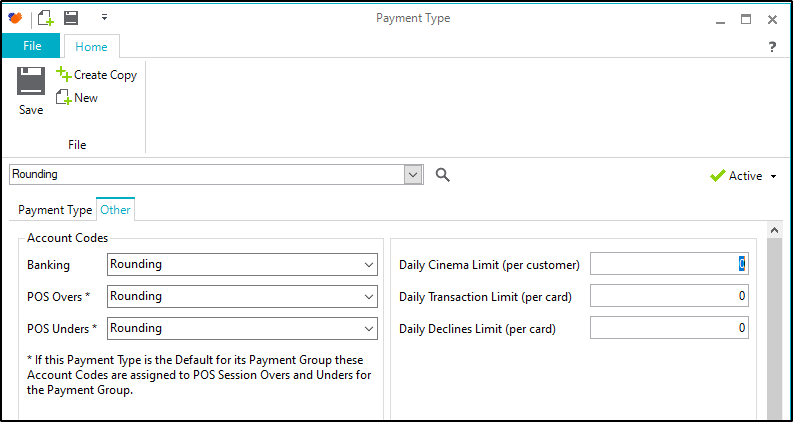
Go back into "Rounding" payment type and set account codes to "rounding"
Step 7
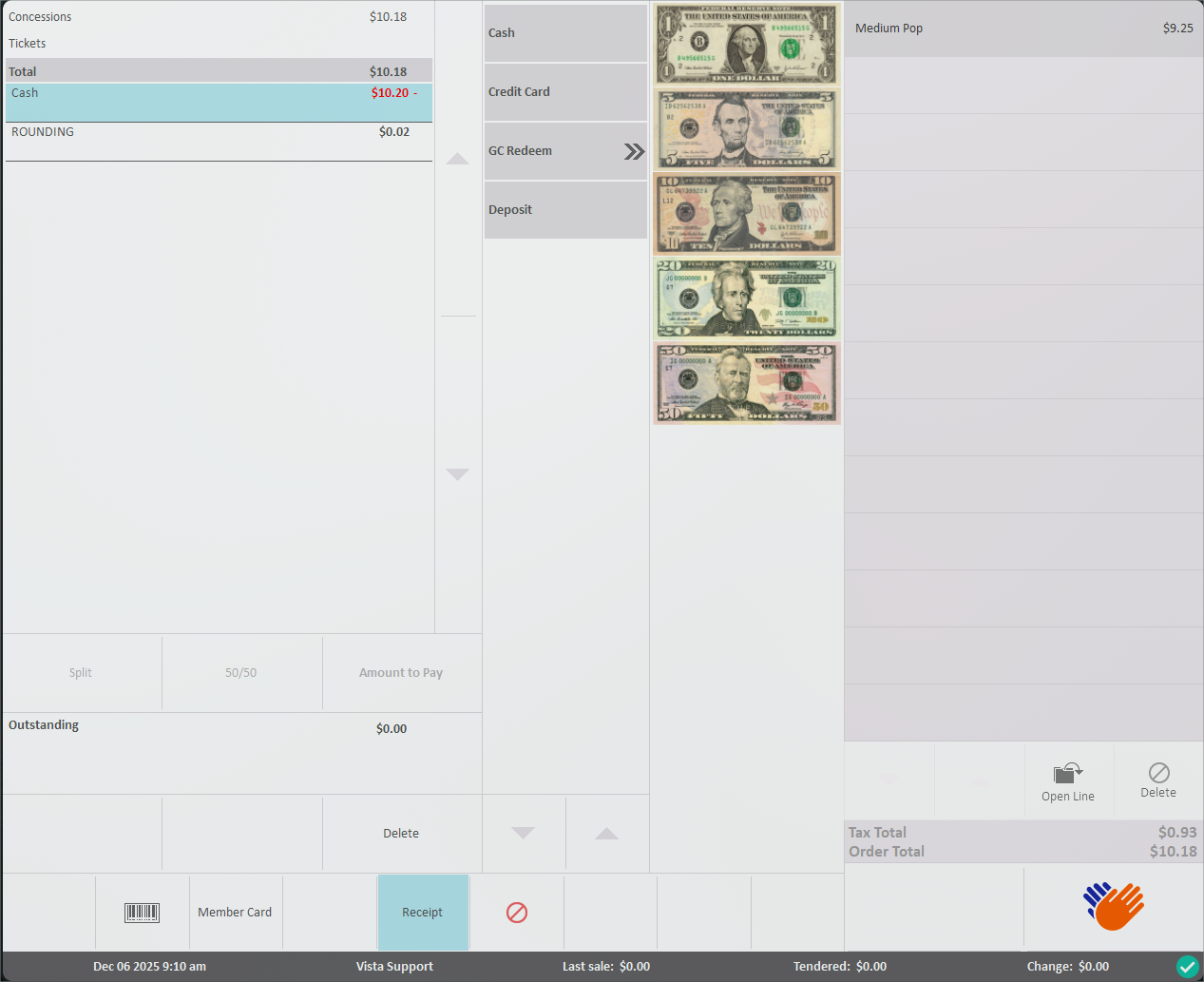
If you open POS and test an item that does not total a multiple of 0.05 and press the Cash payment button POS will show the rounding amount.
Was this article helpful?
That’s Great!
Thank you for your feedback
Sorry! We couldn't be helpful
Thank you for your feedback
Feedback sent
We appreciate your effort and will try to fix the article