From Unifi Site Manager (https://unifi.ui.com/) , click on Admins icon on left of page.
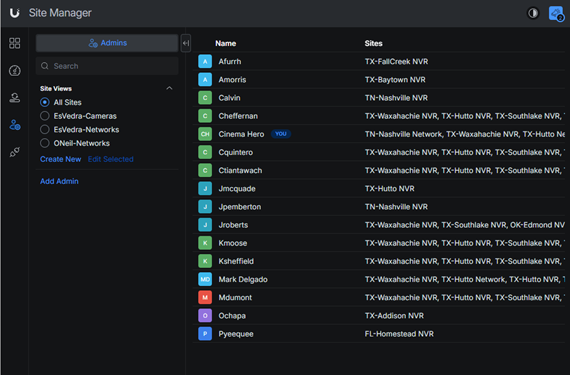
Select EsVedra-Cameras radio button & Click on Add Admin.
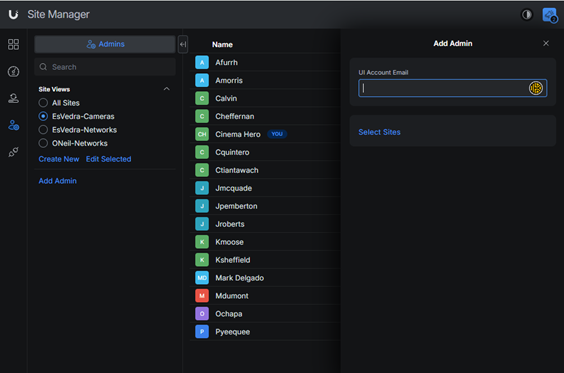
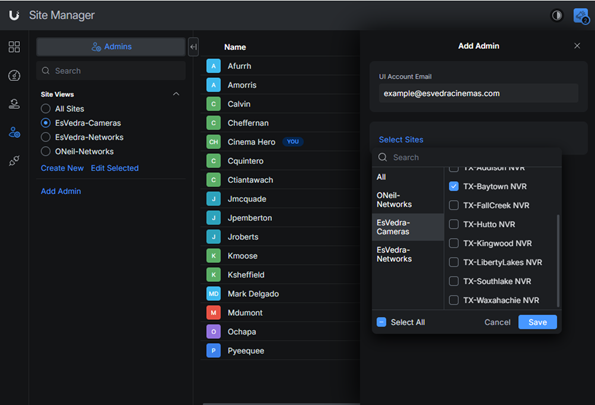
Enter user’s email in the UI Account email box that pops up. Click on Select Sites & select EsVedra-Cameras below the search bar. Then select the site(s) they will need access to & click on Save button.
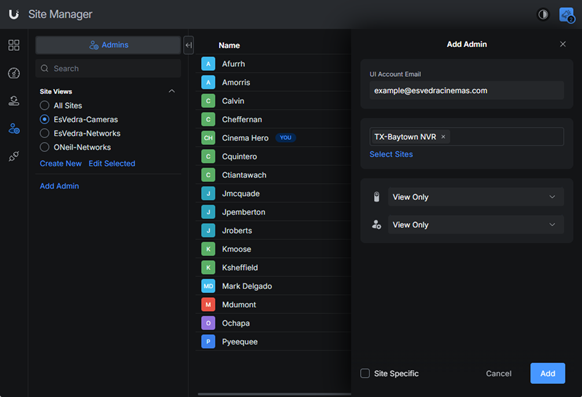
Set Protect & Control Plane drop-downs to View Only & click on Add button.
Was this article helpful?
That’s Great!
Thank you for your feedback
Sorry! We couldn't be helpful
Thank you for your feedback
Feedback sent
We appreciate your effort and will try to fix the article