In certain scenarios, you may need to move money from one Fund to another or change the value of a Fund to represent the addition or removal of funds, such as in a petty cash transaction or the correction of an OVER/SHORT.
To do so, from Vista CashDesk, expand the ‘Fund Location’ and ‘Fund’ to expand the menu:
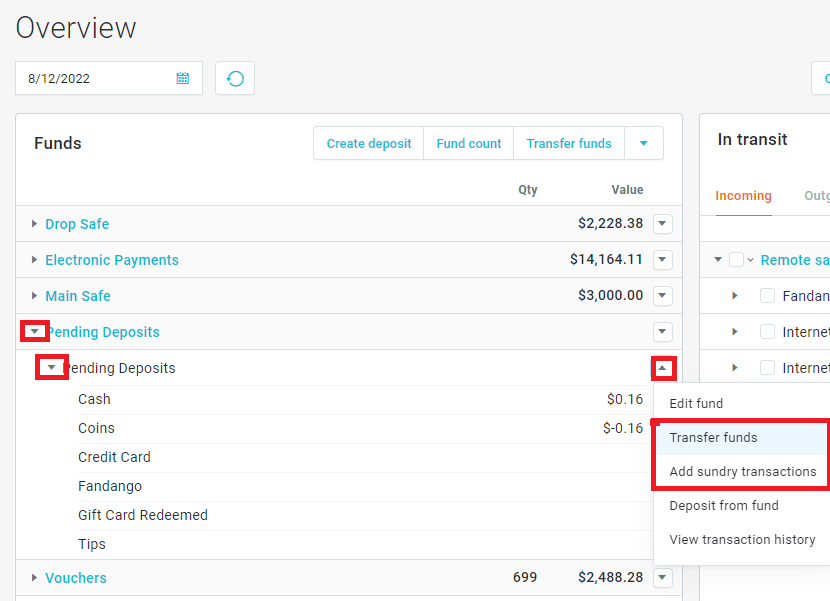
From the menu, perform one of the following actions –
Transfer Funds:
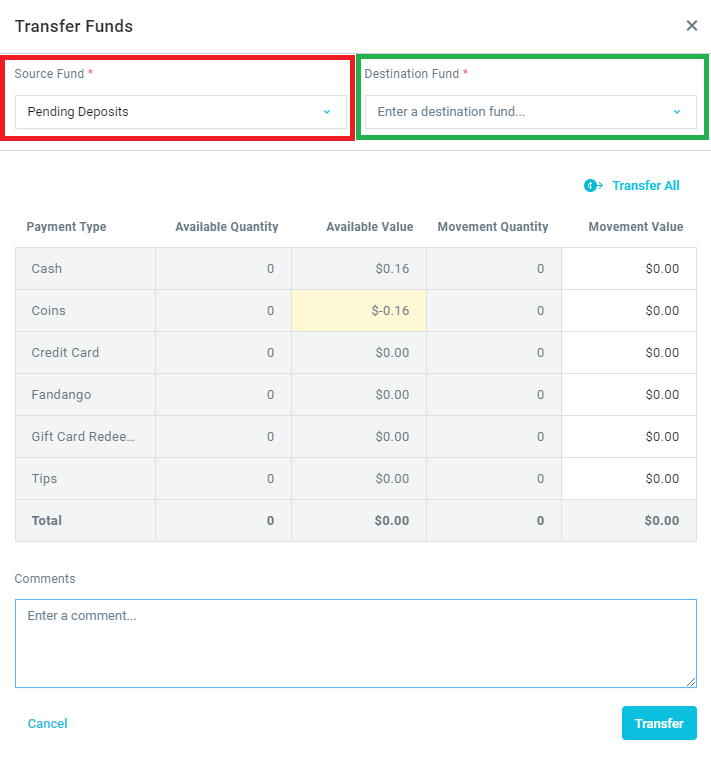
Select the Source Fund that you would like to pull money from, and the Destination Fund that you will send money to. Configure the values of each Payment Type that you need to transfer. Add a comment to describe the reason for the transfer. Click ‘Transfer’.
Add Sundry Transactions:
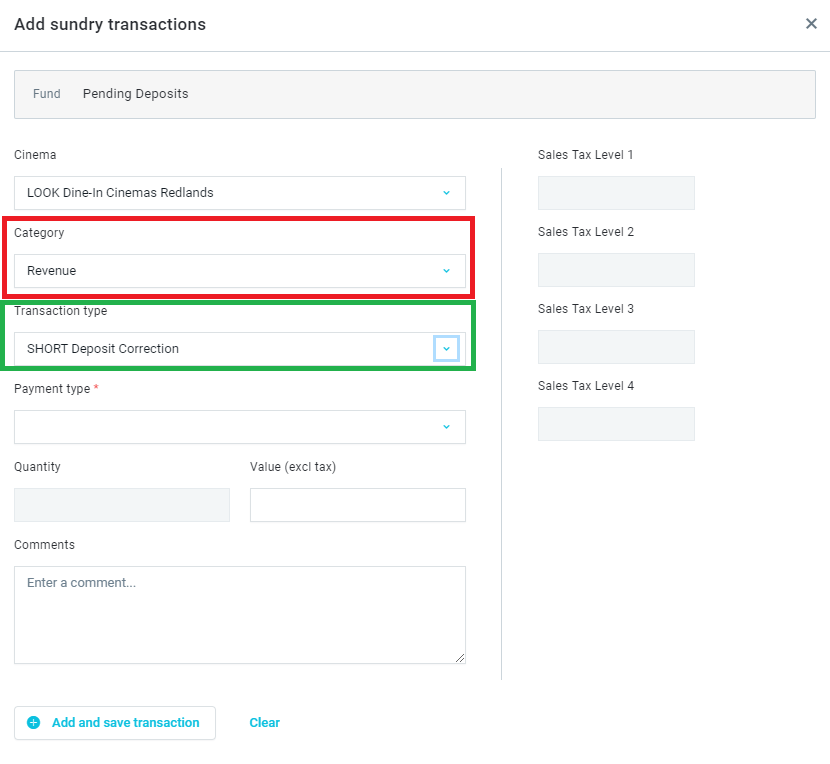
Select the Category (expense or revenue) for the type of action that you would like to perform; Revenues will add a value. Expenses will remove a value. Select the Transaction type that best describes the action you are performing. Select the Payment Type (cash, coin, etc.) and configure the value. Add a comment to describe the movement. Click ‘Add and save transaction’.
Was this article helpful?
That’s Great!
Thank you for your feedback
Sorry! We couldn't be helpful
Thank you for your feedback
Feedback sent
We appreciate your effort and will try to fix the article